GEDminer, a family tree analyser and research planner
I was recently introduced to a new tool, GEDminer, available at https://gedminer.com/. At its heart it is a family tree analyser, working on a GEDCOM file you upload to the website. However, there are many tools, bells and whistles, ranging from suggestions for research planning to identifying people in your family tree that would be useful DNA test takers to aid your research. And it is completely FREE (whilst donations to pay for upkeep are gratefully received), created by a genealogist who wanted these tools for their own research and then shared them for all to use. In this post I walk through the features and highlight some of my favourite elements. There are many features I have not covered in any detail and I suggest you upload a GEDCOM for yourself and have a play with what is on offer.
A note on privacy: if you do not register for an account, nothing is stored. If you do have an account and upload a GEDCOM file I'm told the GEDCOM is not stored in a readable form, "statistics and reference points, rather than the people".
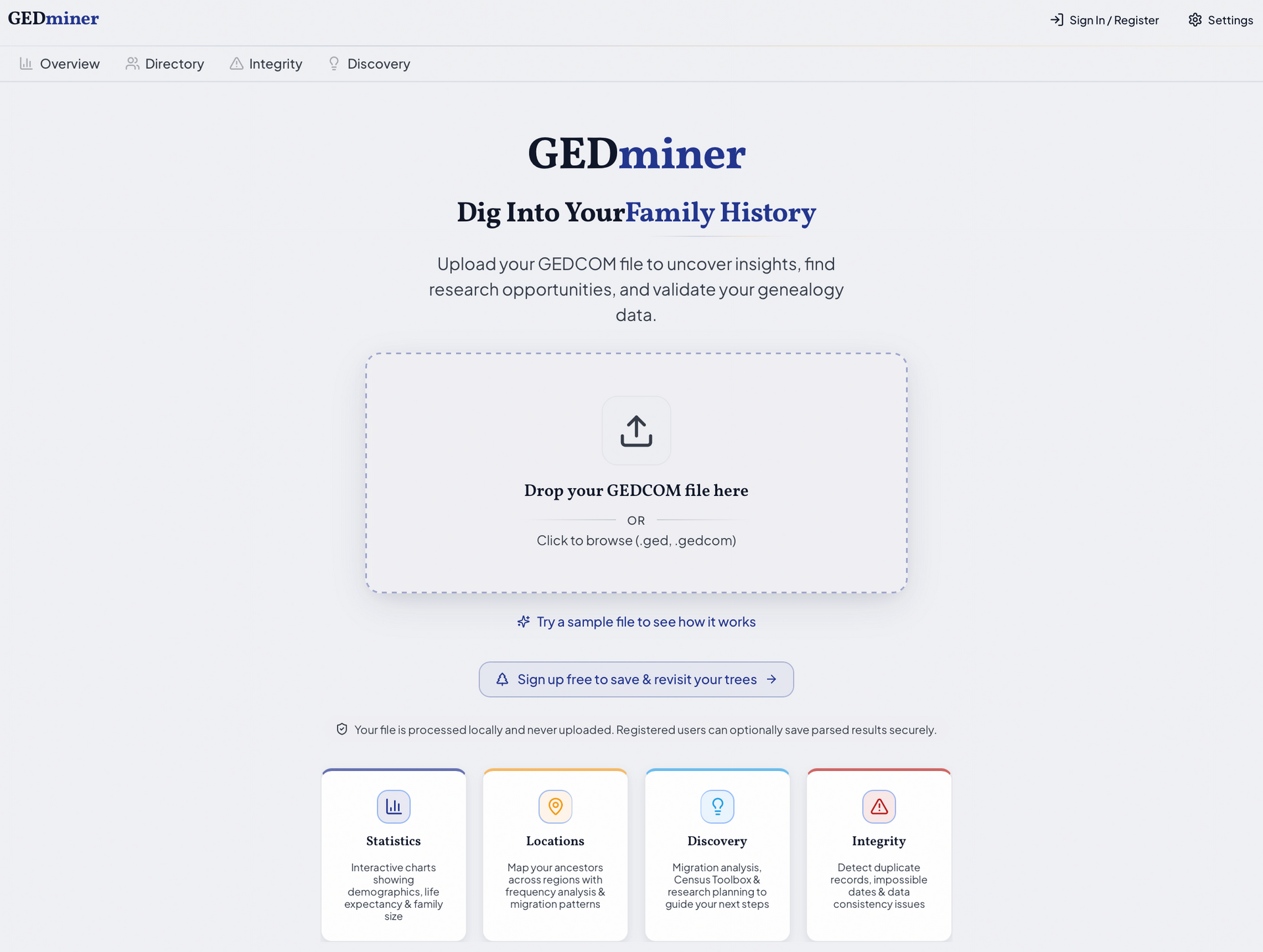
The first thing I like about this site is the clean design. It's a simple modern layout with an easy to navigate menu structure. Your first steps are to upload a GEDCOM file and select the home person in the tree. You are then presented with an overview of your family tree including a Health Score.
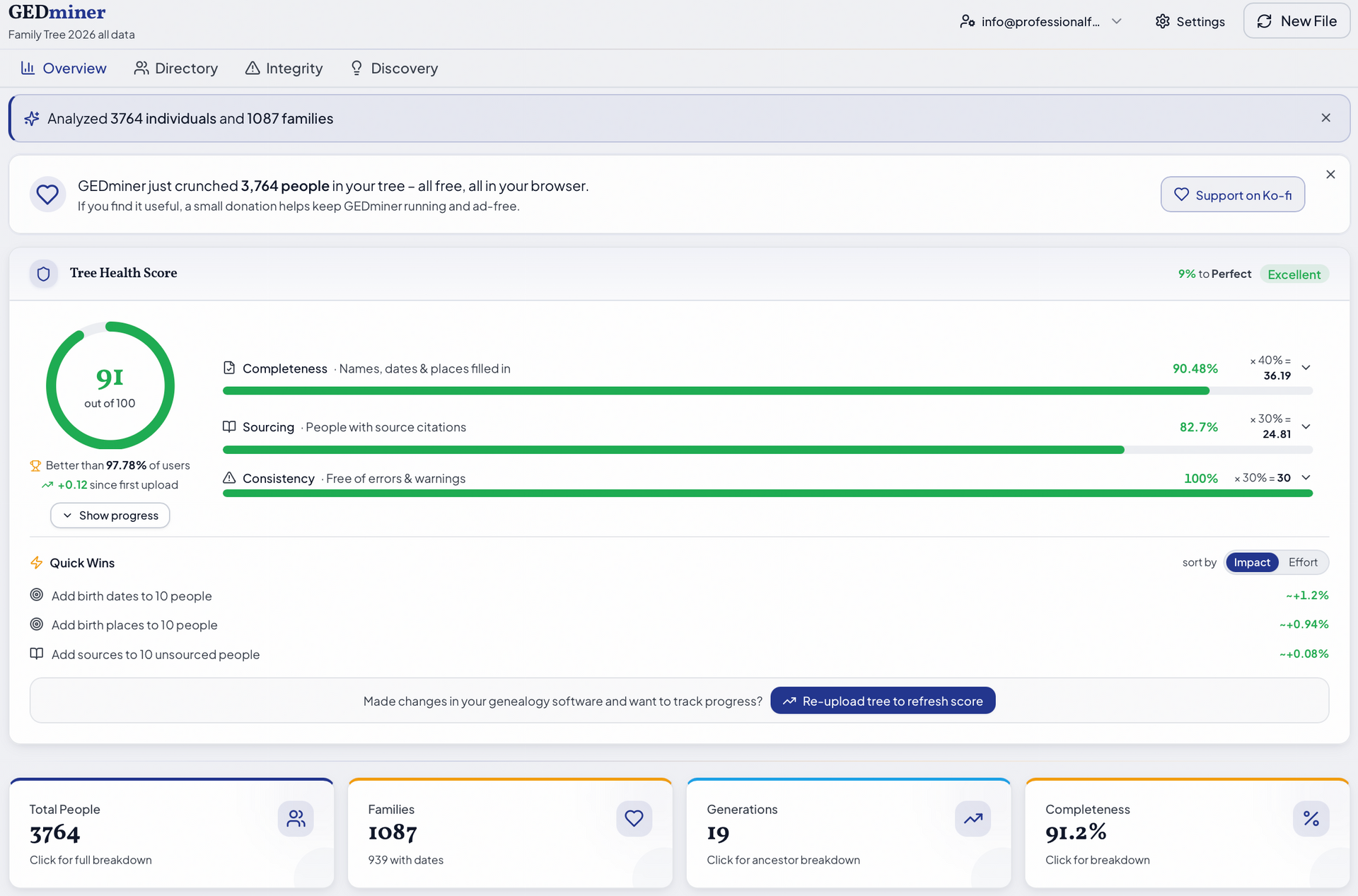
I was quite pleased with a tree score of 90%+ but wanted to understand where the numbers came from and how I can get closer to 100%. You can find out more by clicking on the little down arrows at the end of each green bar. In my case the "completeness" issue comes from missing dates and places of birth and / or death, not unexpected given I have not researched every person in my tree to the same extent.
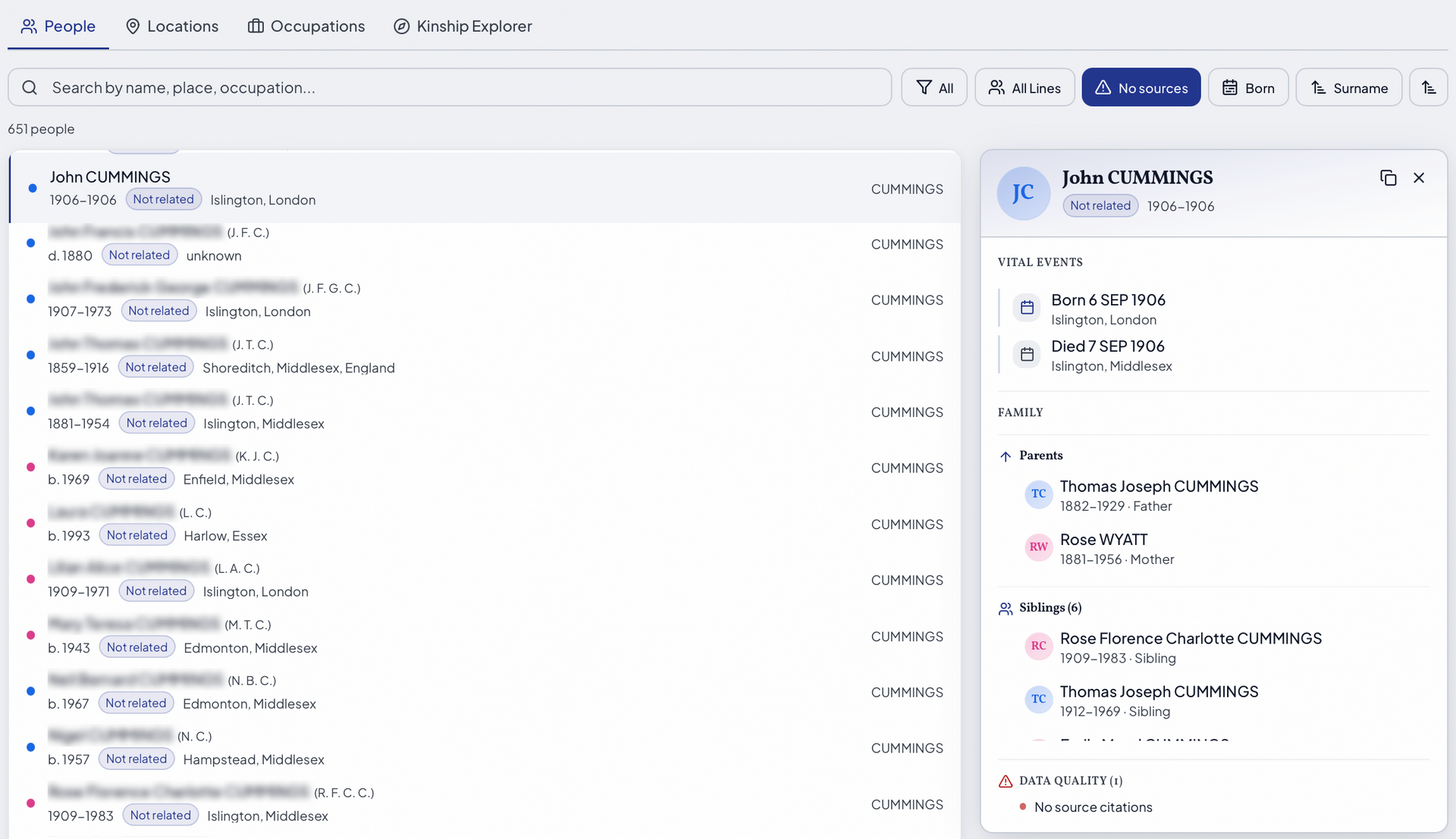
I feel obliged to also explain the sourcing issue, as you know how fanatical I am about good sourcing (what will you think of me?!). In my case I currently have 651 people with no source citations, but this is deliberate! Many years ago I started a "do-over" of my research to build and improve upon my original research. To distinguish between "original" and "revisited" individuals I stripped out all the sources. Most of my "to do" work remains on my Hopkins line and my husband's family tree (which has been very neglected in recent years).
At the bottom of the image above are some boxes, Total People, Families, Generations and Completeness, and clicking on these gives you some nice statistics. The completeness score here also includes a measure of the percentage of people in your tree with occupations recorded. My score is low as I tend to record these in my notes rather than as "facts" but I can see how useful it would be to add these in this way to make use of some of the other tools on offer here. I'm getting ahead of myself a little...
Let's now start to look at some of the tools in the main menu at the top, starting with Directory:
In the People screen you can search your family tree file by surname for a quick count of those with that name. A far more useful part of this area are the filters for Quality. Here you can pull a list of those with e.g. a missing birth date or no source citations, which assists with the necessary updates to your family tree file. The image below is created from my list of people with no sources. Clicking on a name gives an overview of that person in the context of their family group.
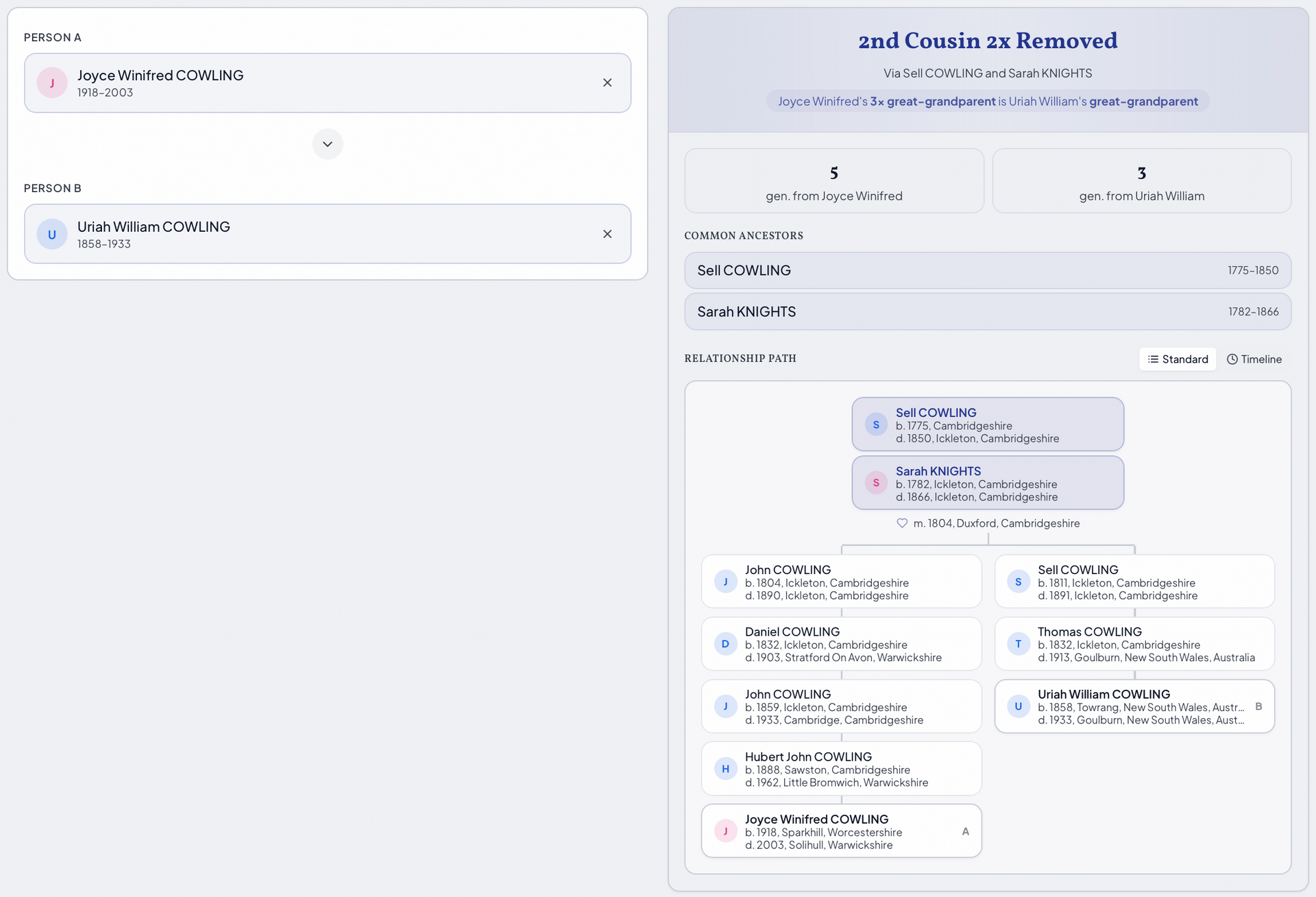
The Occupations area gives some interesting options for grouping your occupations by trade. My favourite part of the Directory section is the Kinship Explorer. Here you can quickly find the relationship between two people by entering them in the two boxes. Some of the family tree software packages also offer this tool but, what I really like about this tool is the nice visual display (example below). This will be particularly useful for working on client reports, particularly for DNA work.
The Integrity tab has more options for looking for errors in your tree.
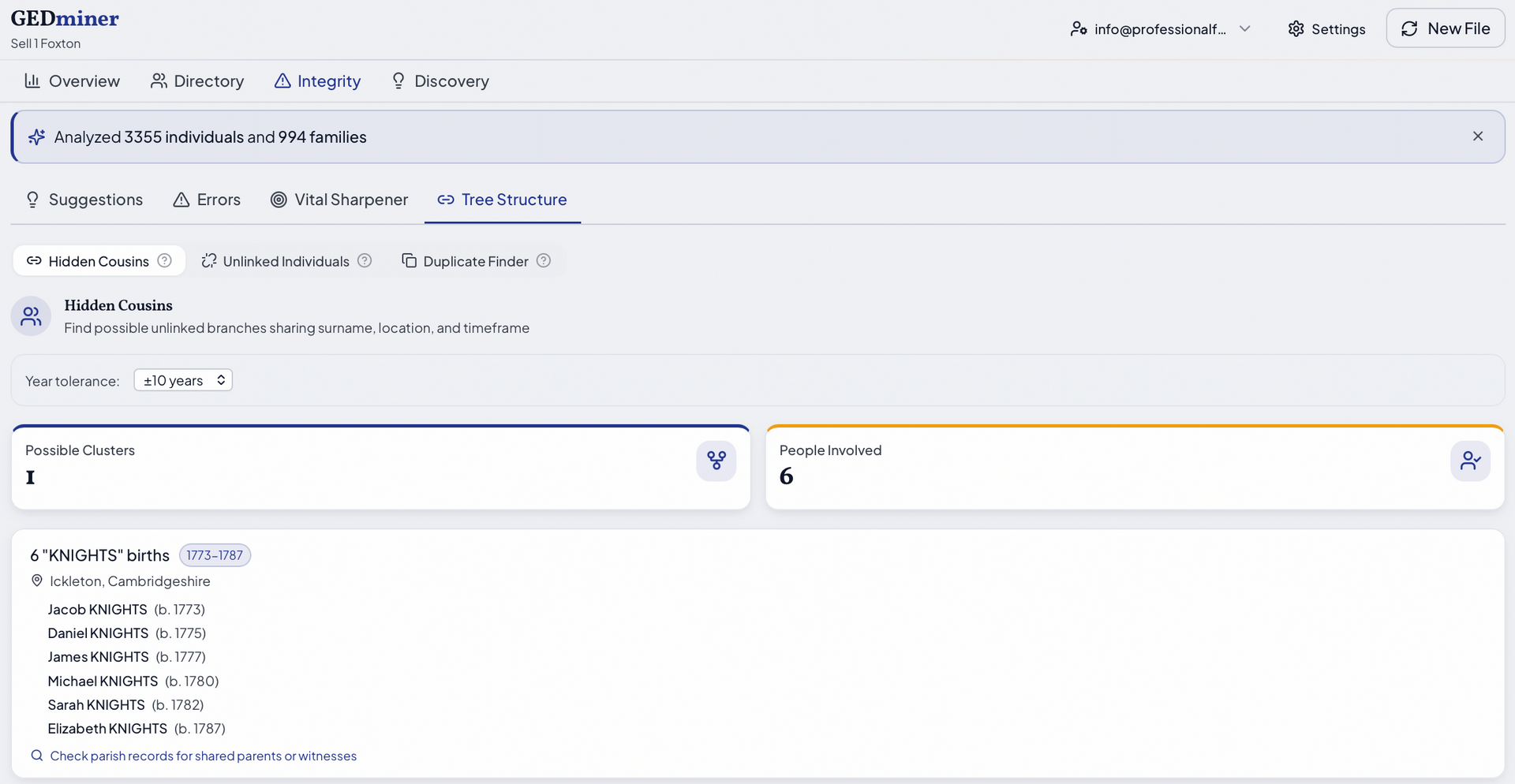
The part I found most useful in the Integrity area was the Tree Structure element, which can reveal if there are groups of people not attached to the main tree (I created an example of this for the image below).
Once you have established whether there are tweaks and additions that you need to make to your family tree, you will probably find the Discovery area the most useful.

The Migration Analysis section can be a really useful prompt to uncover the reasons why your ancestor moved from A to B. Your places do have to be formatted in a way that is recognised by the tool for this to work correctly. I'm an "anomaly" in that I use the format "Linton RD, Cambridgeshire" to indicate where I have only a place recorded down to the registration district (RD) from a GRO index reference, and I found this messed up some of the place analysis.
The Census Toolbox highlights where you have not added places of residence in the census years to your individuals.
One of my favourite parts here is the Gap Detector. Rather than look for missing specific records, this highlights where there is a period of 20+ years for which you have no records for an individual, perhaps promoting you to find out more about that person's life. You can also filter this view to just look at direct ancestors.
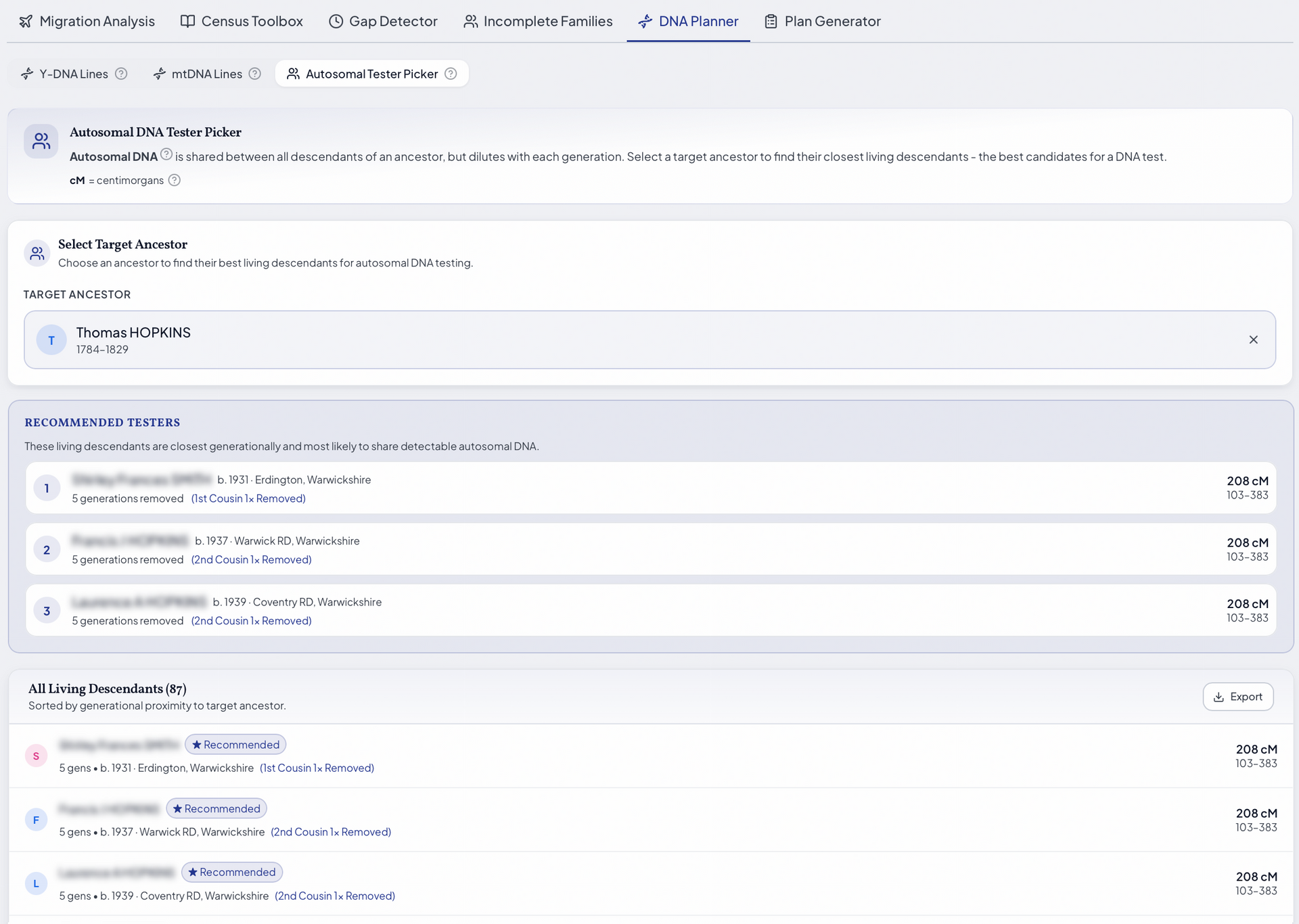
There are elements of the DNA Planner that will be useful for all involved with genetic genealogy. The Y-DNA lines and mtDNA lines highlight potential Y-DNA and mtDNA testers, respectively, for any line in your family tree, in addition to indicating lines for which you have no candidates. This can be filtered to ancestral lines only and lines for which testers can be identified. The Autosomal Test Picker is also a great tool. Select anyone in your family tree and it will suggest living relatives you could test, starting with those more closely related to you.
All in all I can recommend trying out GEDminer, both for checking the quality of your research and for the useful DNA tools and relationship visuals. Upload a GEDCOM and see what it can do for you!